Sarah spent her first weekend with a new smart plug and a voice assistant convinced she’d wasted forty dollars. The lamp turned on when she asked, sure, but so what, she could already reach the switch from the couch. Eight months later, her apartment runs on a web of routines: blinds that rise with sunrise, a thermostat that drops before she wakes, and a front door that locks itself if anyone forgets. The gap between those two moments is the real story of home automation, not the gadgets themselves, but the habits and routines built around them.
What Actually Counts as a Smart Home Device
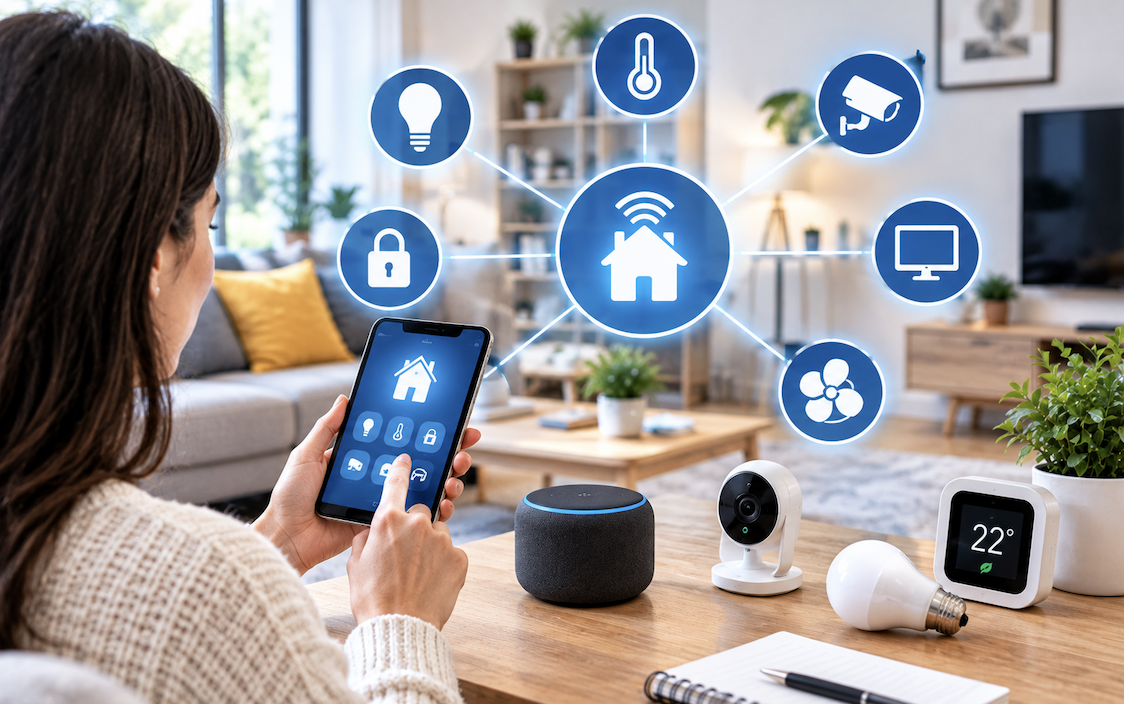
A smart home device is anything that connects to a network and can be controlled or scheduled remotely, but the category spans a huge range of sophistication.
- Simple switches and plugs that add remote control to existing appliances
- Sensors that detect motion, moisture, temperature, or an open door Hubs and voice assistants that tie individual devices into a single system
- Cameras and locks that combine monitoring with physical security
The distinction that matters for a beginner isn’t the device category, it’s whether the product works as a standalone gadget or as part of a connected system. A smart bulb that only responds to its own app offers convenience. A bulb that can trigger from a motion sensor, follow a schedule, and integrate with other devices starts to feel like automation.
Choosing a Communication Protocol Before Buying Anything
Every smart device talks to your network using one of a handful of wireless protocols, and picking the wrong mix early creates headaches later.
Wi-Fi devices connect directly to your router and need no extra hub, which makes them the easiest entry point, but a house full of Wi-Fi devices can strain a router not built for dozens of connected gadgets. Zigbee and Z-Wave are lower-power mesh protocols designed specifically for smart homes; they need a separate hub but handle large device counts more gracefully and drain less battery on sensors.
Matter, a newer unified standard, aims to let devices from different brands work together regardless of protocol, and its adoption has grown steadily as manufacturers add support. For a first purchase, sticking to Wi-Fi or Matter-certified products avoids locking into a hub ecosystem before you know what you actually want.
Starting With a Single Room Instead of the Whole House
Automating an entire house at once is how good intentions turn into a drawer full of unused devices. A single room gives you a contained space to learn what a routine actually feels like day to day.
The living room or bedroom tends to work best as a starting point because both offer immediate, noticeable payoff: lighting that adjusts to the time of day, a plug that shuts off a space heater automatically, or a routine that dims lights when a show starts. Once that single room’s automations run reliably for a couple of weeks without manual correction, expanding to a second room becomes a matter of repeating a proven pattern rather than guessing again from scratch.
Building Routines That Reflect Actual Behavior
The value of automation comes almost entirely from routines, not individual devices acting alone.
- A morning routine that raises blinds, starts the coffee maker, and adjusts the thermostat on a fixed schedule
- A departure routine triggered by a phone leaving a geofenced area, turning off lights and lowering the thermostat
- An evening routine that dims lighting gradually rather than switching abruptly
- A security routine that locks doors and arms cameras once everyone is asleep
Routines built around a rigid schedule tend to break down quickly because real life doesn’t run on a fixed clock. Triggers based on presence, sunrise and sunset, or sensor activity adapt far better to how people actually move through a day, and they require far less manual adjustment once configured correctly.
Where Voice Assistants Fit Into the System
A voice assistant is often the first smart device people buy, and it works best as a control layer rather than the automation engine itself. Asking a speaker to turn off a light is convenient, but it’s not automation, it’s just a different remote control. The real value shows up when a voice assistant becomes the entry point for routines that already run on their own: saying “good night” and having that single phrase lock doors, turn off every light, and lower the thermostat in one action. Setting up these grouped commands takes a few extra minutes in an app, but it turns a voice assistant from a novelty into a control hub.
Privacy and Data Considerations Worth Weighing Early
Every camera, microphone, and sensor in a connected home sends data somewhere, and the privacy implications deserve attention before a system grows too large to easily audit.
- Cameras and microphones should have clear, accessible controls for disabling recording or muting audio
- Cloud-connected devices typically store footage or usage data on a company’s servers rather than locally
- Local-only or local-processing options exist for people who want automation without routing data externally
- Reading a device’s data retention policy before installation avoids unpleasant surprises later
Choosing devices with strong reputations for security updates matters more than most buyers realize, since an unpatched vulnerability in a connected lock or camera creates a physical security risk, not just a digital one.
Budgeting for a System That Grows Over Time
A full smart home system doesn’t need to be purchased all at once, and spreading the investment out actually produces better results. Starting with a hub, a few sensors, and a handful of smart plugs costs relatively little and demonstrates whether automation fits your habits before committing further.
Devices in the same ecosystem tend to go on sale in predictable cycles, so patience during the first few months of a project often pays off financially. Skipping ahead to expensive integrated systems before testing basic routines is one of the more common ways people end up with unused hardware.
Troubleshooting the Most Common Early Frustrations
New automated homes tend to run into the same handful of problems, and knowing what they are ahead of time saves considerable frustration.
- Weak Wi-Fi coverage in far corners of a home causes devices to drop offline unpredictably
- Automations conflicting with each other, such as two routines both trying to control the same light
- Hub firmware updates occasionally breaking previously reliable integrations
- Battery-powered sensors going unnoticed until they stop reporting
A mesh Wi-Fi system or a dedicated smart home hub resolves most connectivity issues, and building in occasional manual checks, glancing at a dashboard once a week, catches problems before they become invisible failures nobody notices until something doesn’t work as expected.
Integrating Smart Home Security With Everyday Automation
Security devices are often treated as a separate category from convenience automation, purchased and configured in isolation from the lighting and climate routines already running in a home. Combining the two produces a system considerably more useful than either half alone.
A door sensor that triggers an entry light automatically at night does double duty as both a security measure and a convenience feature, without requiring separate hardware for each purpose.
- Motion sensors originally installed for lighting can also trigger camera recording or alerts
- A smart lock’s activity log doubles as a record of who entered a home and when
- Window and door sensors feeding into both a security app and a general automation hub avoid duplicate hardware
- Cameras positioned for general monitoring can also serve as the trigger for arrival and departure routines
The practical benefit of this integration shows up most clearly when a household is away. A system that recognizes nobody is home, based on connected phones leaving a geofenced area, can automatically arm security sensors, adjust the thermostat to an away setting, and simulate occupancy by varying interior lighting on a randomized schedule.
None of these individual actions require expensive equipment, but combined into a single coordinated routine, they meaningfully improve both energy efficiency and the appearance that a home is occupied.
Energy Savings You Can Realistically Expect From Automation
Marketing materials for smart home products often promise dramatic energy savings, and the reality tends to be more modest but still meaningful over time.
A smart thermostat that learns occupancy patterns and adjusts temperature automatically typically reduces heating and cooling costs by somewhere in the range of ten to fifteen percent annually, according to studies conducted by several thermostat manufacturers and independent energy researchers.
Smart plugs that eliminate phantom power draw from electronics left in standby mode contribute a smaller but still measurable reduction, often a few percent of total electricity use depending on how many devices are involved.
The savings compound when automation removes the human error factor entirely. A programmed routine that turns off lights in unoccupied rooms doesn’t forget the way a person walking out of a room in a hurry sometimes does.
Over a full year, these small, consistently applied corrections tend to add up to more meaningful savings than any single high-tech device purchased in isolation, which is worth remembering for anyone tempted to spend heavily on a single flashy gadget rather than building out consistent, basic automation across an entire home.
Matching Automation Complexity to Household Composition
A household of one person living alone has very different automation needs than a family with children, multiple schedules, and shared spaces, yet many guides treat “smart home” as a single undifferentiated goal. A single-occupant home can lean heavily on presence-based automation, since there’s only one schedule to account for and less risk of automations conflicting with someone else’s preferences.
A shared household requires more deliberate coordination, separate phone-based presence detection for each household member, shared routines that account for overlapping schedules, and often more explicit manual controls alongside automation so that one person’s preferences don’t override everyone else’s comfort without discussion.
- Single-occupant homes benefit from aggressive presence-based automation with fewer competing preferences to manage
- Multi-person households need routines that account for the most conservative schedule among all occupants
- Households with children benefit from automations focused on safety, such as door and window sensors, more than convenience features
- Guest access, through temporary smart lock codes or limited-duration device permissions, matters more in shared or frequently visited homes
Thinking through household composition before buying devices prevents a common early mistake: building an elaborate presence-based system designed around one person’s habits, then discovering it creates friction the moment another household member’s schedule doesn’t match the assumptions baked into the automation.
Common Pitfalls When Scaling Up an Automation System
As a smart home system grows from a handful of devices to a dozen or more, certain problems tend to surface that weren’t apparent at a smaller scale. Naming conventions that felt sufficient for five devices become confusing across twenty, particularly when multiple household members are trying to control the same system through voice commands or an app. Establishing a clear, consistent naming pattern early, room plus device type, for instance, prevents the kind of confusion where nobody remembers whether “living room light” refers to a lamp, an overhead fixture, or both.
- Device naming conventions that scale poorly once a system grows beyond a handful of items
- Automations that silently stop working after a firmware update changes underlying device behavior
- App fatigue from managing devices across too many separate manufacturer apps instead of a unified hub
- Network congestion from too many devices competing for bandwidth on an under-provisioned router
Periodically auditing a growing system, rather than only troubleshooting when something visibly breaks, catches these issues before they compound into a system that feels more frustrating than helpful, which defeats the entire purpose of automating a home in the first place.
Planning for Firmware Updates and Device Longevity
Smart home devices depend on ongoing manufacturer support in a way traditional appliances never did, and this dependency has real long-term implications worth weighing before building a system around any particular brand.
A device that stops receiving firmware updates can gradually lose compatibility with newer hub software, other devices, or security patches, eventually becoming a weak point in an otherwise well-maintained system.
Checking a manufacturer’s track record for long-term software support, not just current product reviews, gives a more accurate sense of how a device will hold up several years down the line.
- Manufacturers with a longer history of consistent updates tend to offer better long-term reliability
- Devices tied to a company’s cloud service become useless if that company shuts down the service entirely
- Open standards like Matter reduce dependency on any single manufacturer’s continued support
- Setting a personal policy of avoiding devices with no clear update history protects against future obsolescence
This consideration matters more for core infrastructure devices, like hubs and locks, than for lower-stakes items like a single smart bulb, since replacing a bulb that loses support is a minor inconvenience while replacing a hub that stops working can mean rebuilding an entire system’s automations from scratch.
Final Thoughts
A smart home rarely comes together from a single ambitious purchase. It grows from small, tested routines that prove their worth before expanding further, built on a network and protocol choice that won’t need to be undone later. Starting narrow, watching how the automations actually get used, and expanding only where real value shows up keeps the project from turning into an expensive collection of gadgets nobody remembers to use.
Frequently Asked Questions
1. Do I need a hub to start with smart home devices?
Not necessarily. Many entry-level devices connect directly over Wi-Fi and work through a smartphone app without any additional hardware. A hub becomes useful once you’re running several devices on lower-power protocols like Zigbee or Z-Wave, or when you want tighter integration between products from different brands.
2. How much does a basic smart home setup cost?
A modest starting setup, a smart speaker, a couple of smart plugs, and a few bulbs, typically runs under $150. Costs rise from there depending on how many rooms you automate and whether you add cameras, locks, or a dedicated hub.
3. Are smart home devices difficult to install?
Most consumer smart devices are designed for straightforward installation without professional help. Plugs and bulbs usually take a few minutes to pair with an app. Devices requiring wiring, such as smart light switches or thermostats, involve slightly more setup and may call for basic electrical comfort or professional installation.
4. What happens to my smart home if the internet goes down?
This depends heavily on the device and protocol. Wi-Fi-dependent devices generally lose remote control and cloud features during an outage, though many still respond to local commands. Zigbee and Z-Wave systems with a local hub often keep local automations running even without internet access, since the hub itself handles the logic.
5. Can different brands of smart devices work together?
Compatibility varies by protocol and manufacturer. The Matter standard was created specifically to solve this problem by letting certified devices from different brands communicate regardless of who made them. Checking for Matter compatibility before buying reduces the risk of ending up with devices that can’t talk to each other.
6. Is a smart home system worth it for someone who rents rather than owns?
Renters can still benefit significantly by choosing devices that don’t require permanent installation, such as smart plugs, portable cameras, and battery-powered sensors. Smart bulbs that screw into existing fixtures also work well since they leave nothing behind when it’s time to move.