Sitting for long uninterrupted stretches has become a defining feature of modern desk work, and a growing body of research links prolonged sitting with various health concerns, prompting many home workers to consider a standing desk setup.
Converting a home office does not require buying an entirely new piece of furniture or spending a fortune, and several approaches exist depending on budget, space, and how committed you are to alternating between sitting and standing throughout the day.
This guide covers practical options for making the switch comfortably and sustainably.
Converting a Home Office on a Budget
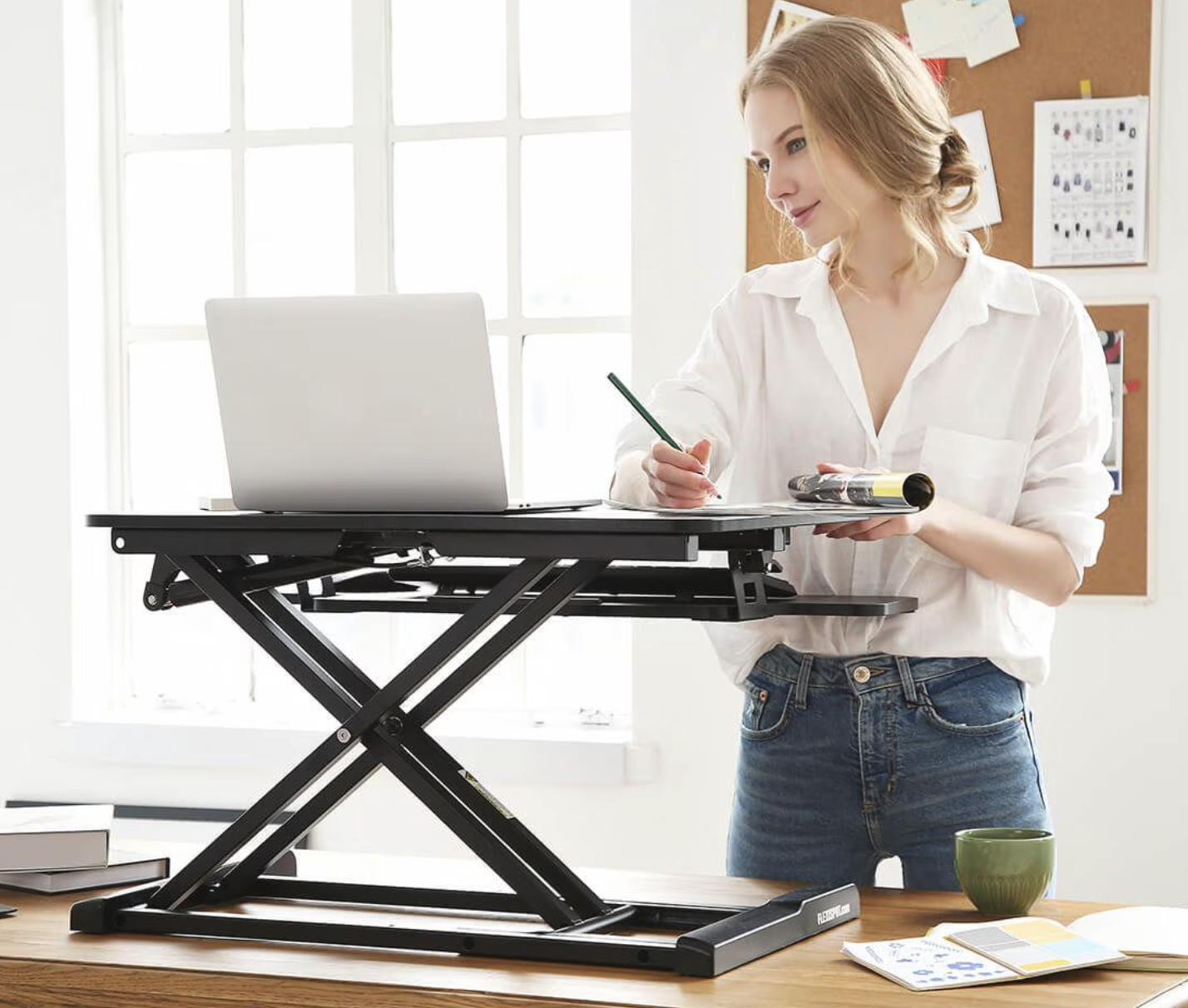
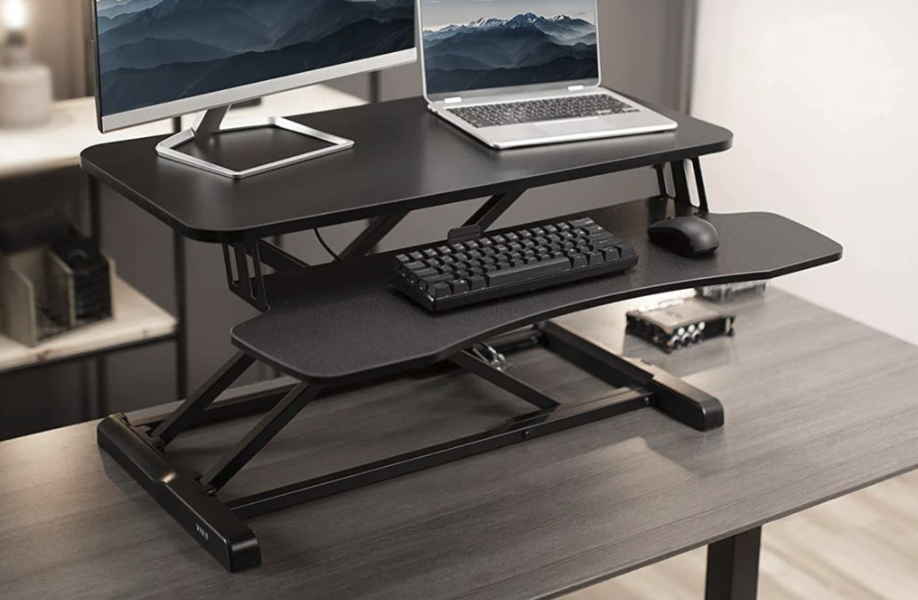
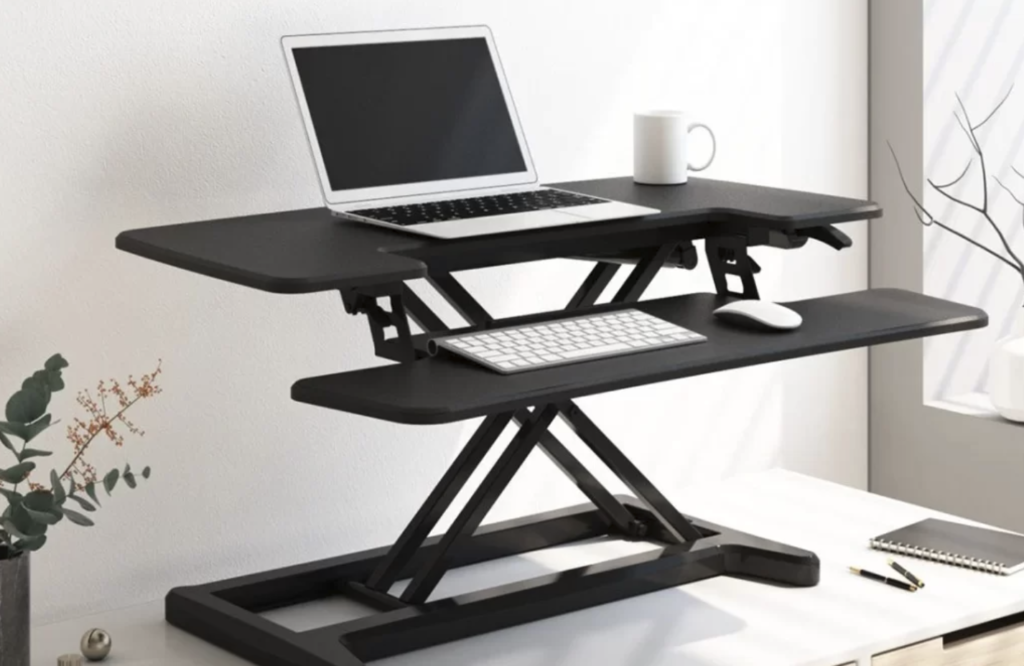
A full standing desk conversion can range from a modest investment to a considerable one, depending on which approach you choose. The most budget-friendly option is a standalone desk converter, a platform that sits on top of an existing desk and raises a keyboard, mouse, and monitor to standing height without replacing the desk itself.
For those ready to commit more fully, a dedicated electric sit-stand desk offers the smoothest transition between sitting and standing heights at the press of a button, though it typically costs more than a converter and requires more floor space. Manual crank desks split the difference, offering height adjustability at a lower price point than electric models but requiring more physical effort to adjust throughout the day.
A few budget-conscious strategies worth considering:
- Repurposed furniture: A tall bookshelf, dresser, or kitchen counter can serve as a temporary standing workstation while testing whether the habit sticks before investing in dedicated equipment.
- Secondhand marketplaces: Used standing desks, often from office liquidations, can be found at a fraction of retail price, though checking the motor and frame for wear before buying is a sensible precaution with any used electric model.
- Converter-first approach: Testing the standing habit with an inexpensive converter before committing to a full electric desk helps confirm the investment is worthwhile for your specific work style.
- DIY riser builds: Simple wooden risers built from basic materials can create an adjustable platform for a fraction of the cost of commercial options, though sturdiness and a level surface should be confirmed carefully before trusting a monitor or keyboard on top.
- Employer reimbursement programs: Some employers offer a stipend or reimbursement for home office ergonomic equipment, which is worth asking about before purchasing.
Timing a purchase around seasonal sales events can also noticeably lower the cost of a conversion, since furniture retailers frequently discount desks and converters during major shopping periods throughout the year. Setting a price alert or simply waiting a few weeks for an upcoming sale, rather than purchasing the moment the idea strikes, can make a noticeable difference in the final cost of a full setup, especially for an electric desk at the higher end of the price range.
Desk Types and How They Differ
Standing desks come in several distinct mechanical categories, each with different tradeoffs in cost, stability, and ease of adjustment. Electric desks use a motor to raise and lower the surface, typically offering the fastest and smoothest transitions along with programmable height presets for switching between sitting and standing positions with a single button press.
Manual crank and pneumatic lever desks require physical effort to adjust but tend to cost less than electric models, while still offering full height range. Fixed-height standing desks, which do not adjust at all, are the least flexible option but also the simplest and often least expensive, suited to people who plan to stand for the entire workday rather than alternating.
Desk converters, as mentioned earlier, sit on top of an existing desk surface and typically offer a smaller footprint for keyboard and mouse placement compared to a full-surface standing desk, which can feel cramped for people who use multiple monitors or need substantial desk space for paperwork.
Stability is worth checking regardless of desk type, since lower-cost standing desks, especially at maximum height, can wobble during typing, which becomes distracting and potentially uncomfortable over a full workday. Reading reviews specifically mentioning stability at standing height helps avoid this common complaint.
Weight capacity is another spec worth checking carefully before purchase, since a desk rated for a modest load can struggle under a setup involving multiple monitors, a heavy monitor arm, and a desktop computer tower all at once. Adding up the approximate weight of everything planned for the desk surface and comparing it against the manufacturer’s stated capacity, with a reasonable margin left over, avoids a desk that strains or wobbles once fully loaded with equipment.
Setting Proper Ergonomic Heights
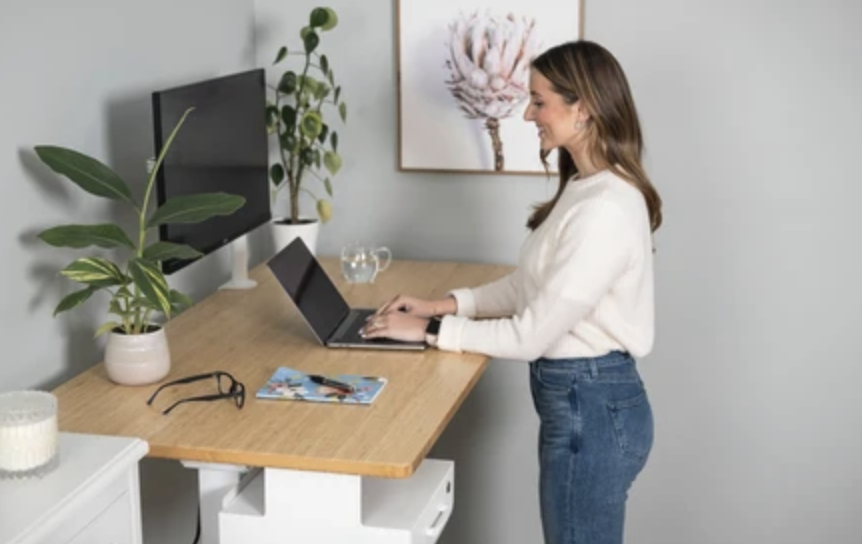
Getting the height right matters more than the type of desk chosen, since an improperly adjusted standing desk can introduce new strain rather than relieving existing discomfort. The general guideline for standing posture is to position the desk so elbows rest at roughly a ninety-degree angle with wrists in a neutral position while typing, similar to proper seated ergonomics.
Monitor height matters just as much as desk height, since a screen positioned too low or too high encourages neck strain regardless of whether you are sitting or standing. The top of the monitor screen should sit roughly at eye level, which often requires a separate monitor riser or arm when using a desk converter, since converters do not always raise the monitor to the correct relative height on their own.
A few adjustments help dial in proper standing posture:
- Elbow angle check: Keep elbows close to a ninety-degree bend with wrists straight rather than bent upward or downward while typing, since this angle places the least strain on the forearm over a long session.
- Eye-level monitor placement: Position the top of the screen at or just below eye level to reduce neck strain, adjusting the riser or arm height whenever switching between sitting and standing.
- Anti-fatigue mat use: A cushioned mat reduces pressure on feet and joints during extended standing periods, and even a basic mat can noticeably improve comfort within the first few sessions.
- Footwear consideration: Supportive, flat shoes tend to be more comfortable for standing work than rigid dress shoes or bare feet on a hard floor, and a pair kept near the desk solves this without disrupting the rest of a daily outfit.
- Keyboard and mouse placement: Keep these at the same height as the desk surface to avoid raising shoulders while typing.
Wrist position deserves its own close look, since standing posture changes the natural angle of the forearm relative to the desk compared to sitting. A slightly negative tilt on a keyboard tray, angled gently downward away from the body, can help keep wrists in a more neutral position during extended standing typing sessions, reducing strain that might otherwise build up gradually over a full workday without being immediately obvious to the person typing.
Building a Sustainable Sit-Stand Routine
Jumping straight into standing for an entire workday is a common mistake among new standing desk users, often leading to foot, back, or leg discomfort that discourages continued use. A gradual approach, building standing time incrementally over several weeks, tends to produce better long-term adherence than an all-or-nothing switch.
Starting with short standing intervals of fifteen to thirty minutes, several times throughout the day, allows the body to adapt to the new posture demands without excessive fatigue. Many desk users eventually settle into a rhythm of alternating every thirty to sixty minutes between sitting and standing, though the ideal balance varies by individual comfort and job demands.
Using a timer or a reminder app can help build the habit initially, since it is easy to forget to switch positions during a stretch of focused, uninterrupted work. Some electric desks include built-in reminder features or programmable schedules that prompt a height change at set intervals, which can reduce the mental overhead of remembering to switch manually.
Listening to the body’s own feedback matters as much as any fixed schedule. Mild foot or lower back fatigue after an extended standing stretch is a normal signal to sit back down rather than push through discomfort, and over time most people develop an intuitive sense of their own ideal rhythm without needing to consult a timer for every transition. Building this awareness gradually, rather than rigidly following a preset interval from day one, tends to produce a routine that sticks for years rather than fading out after a few enthusiastic weeks.
Accessories Worth the Investment
A handful of accessories can notably improve comfort and usability of a standing desk setup beyond the desk itself, though not every accessory is necessary for every setup.
- Anti-fatigue mat: Reduces strain on feet, knees, and lower back during extended standing sessions, often considered one of the highest-value additions, and relatively inexpensive compared to most other accessories on this list.
- Monitor arm or riser: Allows independent height and angle adjustment of the screen, separate from desk height adjustments.
- Cable management tray: Keeps cords organized and prevents tangling as the desk surface moves up and down throughout the day, which also protects cables from strain that can cause premature wear.
- Under-desk footrest: Provides a place to shift weight and change foot position periodically while seated, helpful for anyone whose chair sits slightly higher than ideal for their leg length.
- External keyboard tray: Useful for desk converters with limited surface space, keeping typing position consistent regardless of monitor placement and freeing up room for notes or other materials.
Not every accessory needs to be purchased at once, and testing the basic desk setup for a few weeks before adding extras helps identify which specific pain points, if any, truly need addressing.
Lighting is an often-overlooked accessory category worth including in this list. A desk lamp with adjustable brightness can reduce eye strain during long sessions, especially in a home office without strong natural light, and positioning it to avoid glare on a monitor screen matters just as much for standing posture as it does for seated work. A small investment in proper lighting rounds out a setup that already addresses height, support, and cable management.
Mistakes That Undercut Ergonomic Gains
Even a well-chosen standing desk can fail to deliver real ergonomic benefit if set up or used incorrectly. A few common mistakes show up repeatedly among new standing desk users.
- Standing too long too soon: Jumping to full-day standing before building tolerance often leads to discomfort that discourages continued use entirely, undermining the very habit the desk was meant to support.
- Ignoring monitor height: Focusing only on desk height while leaving the monitor at the wrong level for standing posture reintroduces neck strain that the desk upgrade was supposed to eliminate.
- Skipping supportive footwear: Standing on a hard floor in unsupportive shoes for hours can contribute to foot and lower back discomfort, an easy mistake to overlook when attention is focused mainly on the desk itself.
- Never sitting at all: Standing all day is not inherently healthier than sitting all day, and alternating between positions appears more beneficial than committing fully to either extreme for the duration of a workday.
- Neglecting desk stability: A wobbly desk surface at standing height can introduce subtle strain from constant micro-adjustments while typing, which can be harder to diagnose than an obviously wrong height setting.
Sharing lessons learned with a coworker going through a similar transition can also help catch mistakes early, since a second set of eyes often spots a height or posture issue that is harder to notice from behind the desk itself. Many offices that encourage standing desk adoption find that informal peer feedback, even a quick comment during a video call about someone’s screen looking too low, does more to correct bad habits than any written guide alone.
Final Thoughts
Converting a home office to support standing work does not require an expensive overhaul, and a simple converter or secondhand desk can test the habit before a bigger investment.
The real benefit comes from building a gradual, sustainable rhythm of alternating between sitting and standing, paired with proper monitor and desk height, rather than standing continuously or rushing the transition.
With a thoughtful setup and a realistic routine, a standing desk can become a comfortable, lasting part of a home workspace rather than an expensive piece of furniture that quietly reverts to sitting-only use after the first few weeks.
Paying attention to monitor height, desk stability, and the body’s own fatigue signals, while resisting the urge to stand for an entire shift right away, gives the best odds of a conversion that holds up for years of daily work.
Frequently Asked Questions
How much standing per day is considered beneficial?
Most ergonomic guidance suggests alternating between sitting and standing throughout the day rather than standing continuously, with a rough target of standing for roughly a third to half of the workday for many office-based roles. Individual comfort, job demands, and any existing health conditions should guide the specific balance rather than a fixed universal number, and building toward that proportion gradually over several weeks tends to produce a more sustainable habit than attempting to hit a target ratio immediately.
Can a standing desk help with back pain?
Some people report reduced back discomfort after switching to a sit-stand routine, especially those whose pain was linked to prolonged static sitting posture. A standing desk is not a guaranteed fix for all types of back pain, however, and anyone with persistent or severe back pain should consult a doctor or physical therapist rather than relying on furniture changes alone, since back pain can stem from a wide range of causes that a desk adjustment alone cannot address.
Do I need an electric desk, or is a manual one good enough?
A manual crank or pneumatic desk can work well for people who plan to adjust height just once or twice a day, while an electric desk offers more convenience for those who want to switch positions frequently throughout the workday. The right choice depends on budget and how often you expect to change heights, and testing a manual option at a friend’s home or a showroom before buying can clarify whether the physical effort involved feels manageable for daily use.
How do I know if my standing desk height is correct?
A quick check involves standing at the desk with arms relaxed at your sides, then bending elbows to roughly ninety degrees; the desk surface should sit at or near where your hands naturally land in that position. If shoulders feel raised or wrists bend upward while typing, the desk is likely too high, and the reverse suggests it may be too low, and asking a family member or coworker to check your posture from the side occasionally offers a useful outside perspective that is hard to get on your own.
Are standing desk converters as good as full standing desks?
Converters offer a lower-cost, lower-commitment way to test a sit-stand routine and can work well for smaller workspaces, though they typically offer less desk surface and may complicate monitor height adjustment compared to a dedicated full standing desk. For long-term daily use, many people eventually upgrade from a converter to a full desk once they confirm the routine suits them, treating the converter as a reasonable trial step before a larger purchase.
Will a standing desk help me burn more calories?
Standing does burn slightly more energy than sitting, though the difference over a workday is modest rather than dramatic, and a standing desk should not be relied upon as a primary fitness strategy. It is more useful to think of a standing desk as a tool for posture variety and reduced prolonged sitting rather than a weight management solution on its own, with any calorie difference better viewed as a minor bonus alongside its other benefits.