Six months into working from a kitchen chair pulled up to the dining table, Raj started noticing a dull ache between his shoulder blades that lingered well past the workday, along with numbness in his hands that showed up during evening phone scrolling. A physical therapist he eventually saw asked about his workspace setup before asking about anything else, and within minutes had identified three separate problems a chair with no lumbar support, a laptop screen positioned well below eye level, and a mouse reaching angle that kept his wrist bent for hours at a stretch.
None of it required an expensive fix, but it did require treating his home office as a workspace rather than a temporary arrangement that had quietly become permanent. Raj had told himself for months that he’d sort out a proper setup eventually, once he had more time or a bigger budget, without realizing how much the delay was costing his body in the meantime.
Raj’s situation is common among people who transitioned to remote or hybrid work without ever revisiting their initial makeshift setup, and it illustrates how furniture and equipment choices that seem minor in isolation compound into real physical strain over months of daily use.
What makes this pattern especially easy to miss is that no single element usually causes enough discomfort on its own to prompt action. A slightly-too-low monitor, a chair with no lumbar support, and a mouse positioned a few inches too far away each contribute a small amount of strain individually, but stacked together across an eight-hour workday, five days a week, they add up to the kind of cumulative discomfort that eventually sends people searching for answers, often only after the pain has already become a regular presence.
The Backache That Started a Furniture Search
Ergonomic problems in a home office rarely announce themselves immediately they build gradually, which is part of why so many people work through months or years of a poorly configured setup before addressing it. A chair without proper support, a desk at the wrong height, or a monitor positioned incorrectly doesn’t cause acute pain on day one, but the cumulative strain from sustained poor posture adds up over the course of a typical workday repeated five days a week.
Addressing the problem usually starts with identifying which specific element is causing the most strain, rather than assuming an entirely new furniture setup is required. A physical therapist or ergonomic assessment, sometimes offered through an employer, can pinpoint specific issues more precisely than guessing based on general discomfort alone.
Many employers now offer virtual or in-person ergonomic assessments as part of a broader wellness benefit, and taking advantage of this resource, when available, tends to produce more targeted results than trial-and-error furniture shopping. An assessor typically walks through posture during actual work tasks rather than relying on generic guidelines alone, catching individual quirks, such as a habit of leaning to one side or resting wrists on a hard desk edge, that a one-size-fits-all ergonomic checklist wouldn’t necessarily flag.
Chairs Worth the Investment
The chair is often the single highest-impact piece of ergonomic furniture in a home office, given how many hours it supports someone’s body during a typical workday. A poor chair undermines even a well-configured desk and monitor setup, since posture starts from the seat.
- Adjustable lumbar support: a chair that lets the lower back curve maintain its natural position reduces strain that builds over hours of sitting.
- Seat height and depth adjustment: proper adjustment keeps feet flat on the floor and thighs roughly parallel to the ground, avoiding pressure behind the knees.
- Armrest adjustability: armrests positioned to support forearms without forcing shoulders up or out reduce upper body tension.
- Breathable material: mesh or ventilated fabric matters more for comfort during long sessions than it might seem, especially in warmer climates or poorly ventilated rooms.
- Tilt and recline mechanisms: the ability to shift posture throughout the day, rather than sitting rigidly upright for hours, supports better circulation and reduces static strain.
Well-known ergonomic chair brands often carry a higher upfront cost than basic office chairs, but for anyone spending multiple hours a day seated, the investment tends to pay off through reduced discomfort and fewer musculoskeletal issues over time.
Trying a chair in person before buying, when possible, remains one of the more reliable ways to avoid an expensive mismatch, since body proportions vary enough that a chair praised widely in online reviews can still feel wrong for a specific person’s height or build. Several premium chair brands offer generous trial periods specifically because ergonomic fit is so individual, and taking advantage of a thirty-day trial window, sitting in the chair for real workdays rather than a few minutes in a showroom, gives a far more accurate read than a quick test sit ever could.
Desk Height and Standing Desk Options
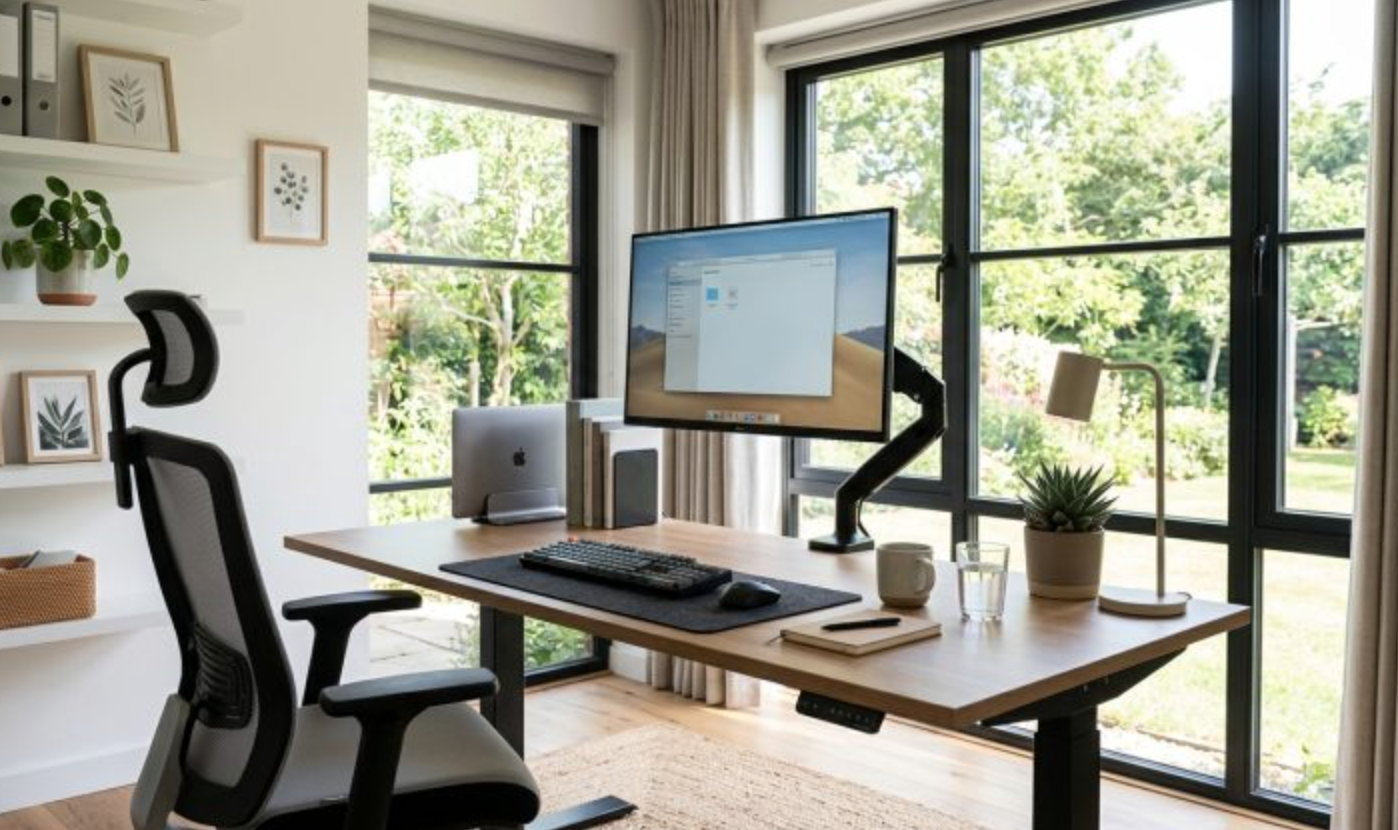
Desk height affects wrist, shoulder, and neck positioning far more than most people realize until it’s pointed out. A desk that’s too high forces shoulders up toward the ears during typing, while a desk that’s too low forces a hunched posture leaning forward over the keyboard.
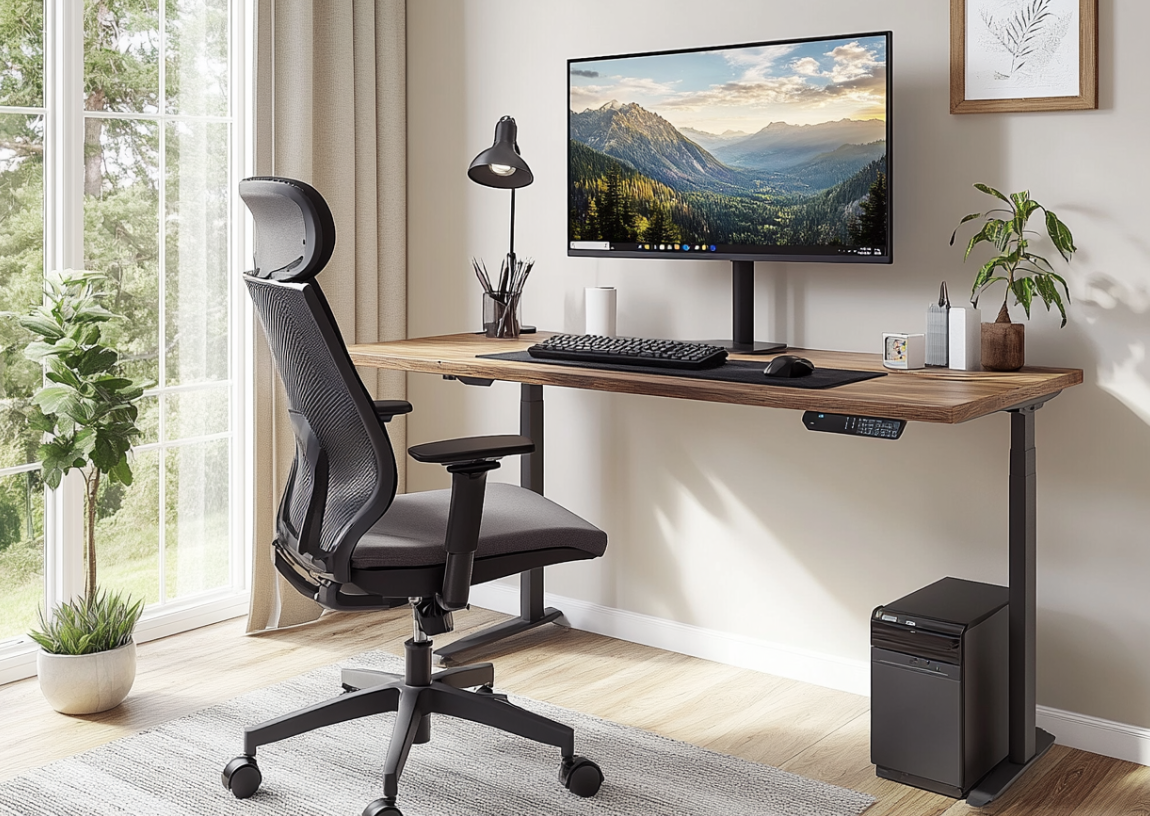
Standing desks, especially height-adjustable models that let users alternate between sitting and standing throughout the day, have become a popular ergonomic upgrade, since alternating positions reduces the strain that comes from remaining in any single posture for an entire workday. Electric height-adjustable desks offer the smoothest transitions between positions, while manual crank versions cost less but require more effort to adjust, which sometimes means they get adjusted less often in practice. Fixed-height desks remain a reasonable option as long as the height is properly matched to an individual’s body and chair setup, since a standing desk isn’t automatically better if the user rarely changes position.
Desk height for a fixed setup should generally allow forearms to rest parallel to the floor when typing, with elbows close to the body rather than flared outward, a measurement that depends heavily on an individual’s height and the chair’s own seat height once both are set correctly. A desk that works well for one household member can be noticeably wrong for another of a different height, which is worth remembering in shared workspaces or households where more than one person uses the same desk across different shifts or days.
Monitor Placement and Neck Strain
Monitor position is one of the more overlooked ergonomic factors, especially for people working primarily from a laptop without an external display, since laptop screens sit well below proper eye level by design.
- Top of screen at eye level: positioning a monitor so the top edge sits roughly at eye height keeps the neck in a neutral position rather than tilted down.
- Arm’s length distance: placing the monitor far enough away to avoid leaning forward to read text, typically around an arm’s length from the seated position.
- Laptop stands and external monitors: raising a laptop screen to proper height, paired with an external keyboard and mouse, addresses the ergonomic gap that laptops create on their own.
- Dual monitor alignment: for setups with two screens, centering the primary monitor directly ahead and angling the secondary screen to minimize repeated neck twisting.
A laptop used without any stand or external monitor essentially guarantees a forward-tilted neck position for hours at a time, which is one of the more fixable ergonomic problems given how inexpensive laptop stands and monitor arms tend to be relative to the strain they prevent.
Font and text size adjustments deserve a mention alongside physical monitor placement, since squinting at small text often leads people to lean forward unconsciously, undoing an otherwise well-positioned monitor’s benefit. Increasing default text size in an operating system or browser, rather than compensating with posture, addresses the root cause of the leaning habit directly and costs nothing beyond a few minutes spent adjusting display settings.
Keyboard and Mouse Positioning
Hand, wrist, and forearm strain often traces back to keyboard and mouse positioning more than any single furniture piece, and it’s an area where small adjustments can substantially reduce discomfort without major purchases.
Keeping wrists in a neutral, straight position rather than bent upward or downward during typing reduces strain on tendons running through the wrist, which is why ergonomic keyboards with a slight negative tilt or split design have grown popular among people dealing with wrist discomfort. Mouse placement close to the keyboard, rather than reaching further out, reduces shoulder strain that builds from repeated extended reaching throughout the day. Keyboard and mouse height should generally allow elbows to rest near a ninety-degree angle, which often means the keyboard tray or desk height needs adjustment rather than the peripherals themselves.
Trackball mice and vertical mice, less common than traditional designs, offer an alternative worth considering for anyone experiencing persistent wrist discomfort despite proper desk and chair positioning. These designs keep the forearm in a more neutral rotation compared to a standard mouse, which some users find noticeably more comfortable during long work sessions, though the adjustment period for learning a new input device shape can take a week or two before it starts to feel natural.
Budget Versus Premium Ergonomic Picks
Ergonomic furniture spans a wide price range, and higher cost doesn’t always translate directly to proportionally better ergonomic outcomes for every individual body type and work style.
- Entry-level ergonomic chairs: offer basic lumbar support and adjustability at a fraction of premium chair pricing, suitable for many people without specific existing pain conditions.
- Premium ergonomic chairs: from well-established brands typically offer more adjustment points, higher-quality materials, and longer warranties, often justified for people with existing back issues or very long daily seated hours.
- Budget standing desk converters: sit on top of an existing desk to add height adjustability without replacing the whole desk, a lower-cost entry point into standing desk benefits.
- Full electric standing desks: offer smoother, more reliable height transitions and typically greater weight capacity, generally worth the added cost for daily, consistent use.
Starting with lower-cost ergonomic upgrades and monitoring whether discomfort improves is a reasonable strategy before committing to premium furniture, especially for anyone still uncertain about their specific ergonomic needs.
Secondhand and refurbished ergonomic furniture markets have grown a great deal, offering a middle path between budget and premium pricing for shoppers willing to buy a previous generation model or a gently used chair from a reputable seller. Office liquidation sales, in particular, sometimes offer well-known ergonomic chair brands at a fraction of retail price when a company downsizes or moves offices, though buyers should check that all adjustment mechanisms still function properly before committing, since a chair with a broken lumbar adjustment offers little advantage over a basic model.
Small Space Solutions for Apartments
Not everyone working from home has room for a dedicated office, and ergonomic principles still apply in smaller, multipurpose spaces, just with more creative furniture choices.
- Corner desks: make efficient use of limited square footage while still providing adequate surface area for a proper monitor and keyboard setup.
- Wall-mounted folding desks: fold away when not in use, useful for spaces that need to serve multiple purposes throughout the day.
- Compact ergonomic chairs: smaller-footprint chairs that still offer lumbar support and adjustability without the bulk of larger executive-style office chairs.
- Monitor arms instead of stands: clamp-mounted monitor arms free up desk surface space compared to bulky monitor stands, useful in tighter work areas.
Space constraints don’t have to mean sacrificing ergonomic basics entirely they typically just require more intentional furniture choices suited to a smaller footprint rather than defaulting to whatever fits in the available corner.
Multipurpose furniture designed specifically for small apartments, such as a desk that folds into a shallow wall unit or a chair that doubles as extra seating for guests, has become more widely available as remote work has pushed demand for compact home office solutions. Measuring the available space carefully before shopping, including clearance needed for a chair to slide back comfortably, helps avoid purchasing furniture that technically fits the room but leaves no practical room to sit and work in comfortably.
Building Better Habits Around Good Equipment
Even well-chosen ergonomic furniture doesn’t fully offset the effects of staying in one position for an entire workday, which is why furniture upgrades work best alongside movement habits built into the daily routine.
Setting reminders to stand, stretch, or walk briefly every hour helps offset the static strain that accumulates even in a properly configured ergonomic setup. Alternating between sitting and standing throughout the day, for anyone with an adjustable desk, distributes strain rather than concentrating it in a single posture for hours. Periodic stretching focused on the neck, shoulders, and wrists addresses the areas most affected by desk work, and can substantially reduce cumulative tension even without any furniture changes at all. Good equipment removes obstacles to better posture, but it doesn’t replace the need for regular movement throughout a long workday.
Final Thoughts
A home office doesn’t need an expensive full furniture overhaul to become substantially more comfortable, but it does need deliberate attention to the specific elements chair, desk height, monitor position, and keyboard placement that compound into real strain over months of daily use. Small, targeted changes often address the worst offenders without requiring every piece of furniture to be replaced at once.
For anyone dealing with persistent discomfort despite reasonable ergonomic adjustments, a physical therapist or doctor can help pinpoint whether the issue is purely setup-related or something that deserves closer attention beyond furniture choices alone.
Frequently Asked Questions
How much should I spend on an ergonomic office chair?
Costs vary widely, and a moderate mid-range chair with adjustable lumbar support and seat depth often addresses most people’s needs without reaching premium pricing. Anyone with existing back pain or very long daily seated hours may find a higher-end chair worth the added investment, ideally after trying it in person or confirming a solid return policy.
Is a standing desk better than a sitting desk?
Neither position alone is ideal for extended periods, and the real benefit of a standing desk comes from the ability to alternate between sitting and standing throughout the day rather than standing continuously. Standing all day can create its own strain on feet, knees, and lower back if done without breaks or proper footwear.
What’s the correct monitor height for ergonomic setup?
A commonly recommended guideline positions the top of the screen at or slightly below eye level, with the monitor roughly an arm’s length away, keeping the neck in a neutral position rather than tilted up or down. This guideline may need slight adjustment based on individual eyesight, monitor size, and seated height.
Can a laptop alone ever be ergonomically set up properly?
Not really, since laptop screens sit too low for proper neck alignment when the keyboard is at a comfortable typing height. Pairing a laptop with a stand and an external keyboard and mouse addresses this gap far more effectively than using a laptop on its own for extended work sessions.
How often should I take breaks from sitting at my desk?
Many ergonomic guidelines suggest standing, stretching, or walking briefly roughly every thirty to sixty minutes, though the right frequency varies by individual comfort and job demands. The core principle is avoiding long uninterrupted stretches in any single position, regardless of the exact interval chosen.
Should I see a doctor for home office-related pain?
Persistent pain that doesn’t improve with ergonomic adjustments and regular movement breaks is worth discussing with a doctor or physical therapist, since underlying conditions can sometimes be mistaken for simple ergonomic strain. A professional assessment can also help identify specific setup problems that aren’t obvious from general discomfort alone.