
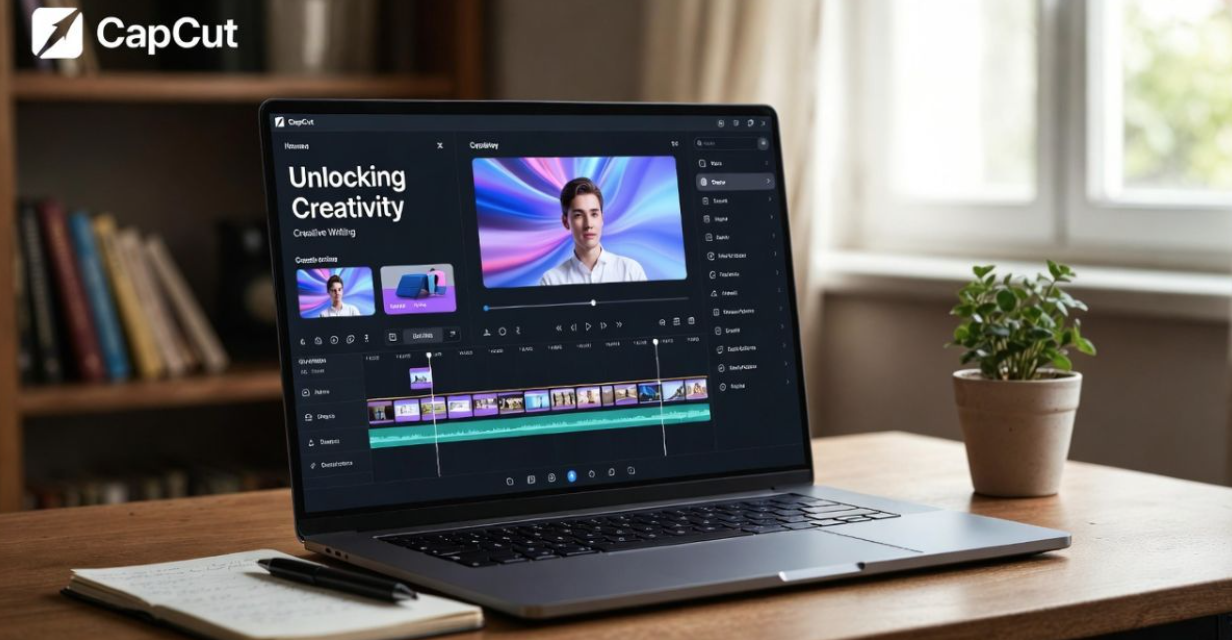
You’ve been there that crushing moment when inspiration dries up and the blank screen just stares back. Ideas swirl in your head, full of vivid scenes and raw emotion, but getting them down feels impossible. Traditional writing traps you in words alone, and by the time you think about visuals, the spark is gone. What if you could start with a single prompt and watch your story build itself into something people actually feel?
That’s exactly what CapCut delivers in 2026. With its latest AI upgrades like the enhanced AI Story Generator, one-click Script-to-Video, and AI Video Enhance 3.0 this free tool (with powerful pro options) has become essential for creators. I’ve guided dozens of writers through this transition, and the shift is profound: they go from frustrated wordsmiths to confident directors who craft videos that rack up views and real connection. If you’re tired of stories staying stuck in your notes app, CapCut gives you the tools to bring them to life visually, audibly, emotionally.
Why Writer’s Block Doesn’t Stand a Chance Against CapCut’s AI Spark
The hardest part of any creative project? That first step. Why do so many great ideas die there? Because starting from zero asks you to nail plot, characters, dialogue, and tone all at once. CapCut’s AI Story Generator cuts through that paralysis like nothing else.
Here’s the beauty of it: You don’t need a perfect pitch. Type something raw “a lost hiker finding an old journal in the woods” or “two siblings arguing over their late parent’s will.” In seconds, the AI delivers multiple story variations: full outlines, dialogue exchanges, character backstories, even emotional arcs. One writer I worked with fed in “urban loneliness” and got back a poignant short about a barista noticing patterns in customers’ orders. She tweaked one suggestion, and it became her most viewed TikTok series.
This isn’t about letting AI write for you it’s collaboration on steroids. The generator pulls from vast patterns but leaves room for your twist. In practice, this means you overcome blocks in minutes, not days. You stay in control, adding the personal details that make it yours. And with 2026 updates making outputs more nuanced (better handling of subtext and cultural details), the starting points feel less generic than ever.
Quick tips to maximize the AI spark:
- Start broad, then narrow: Generate 10-15 ideas and pick the outlier that excites you.
- Always ask yourself: “What makes this personal?” Swap AI lines for specifics from your life.
- Combine elements: Mix dialogue from one suggestion with plot from another.
Visual Outlining: Build Your Story’s Skeleton You Can Actually See
Once you’ve got raw ideas, traditional outlines fail because they’re abstract. You can’t feel pacing on paper. CapCut’s timeline changes everything by letting you outline visually drag, drop, and instantly see how your story flows.
Imagine this scenario: You’re crafting a short film about redemption. Instead of listing scenes, you drop placeholder clips stock footage of rainy streets, a simple text card saying “[HEATED ARGUMENT],” or even a phone video you shot of shadows on a wall. Suddenly, structure becomes spatial. That emotional climax dragging? Slide it earlier. The setup feeling rushed? Stretch it with a slow zoom.
Early audio integration takes it further. Add a haunting piano track temporarily does it heighten tension during the quiet moments? One creator I coached discovered her story’s middle sagged because the music peaked too soon. Shifting beats fixed it before writing a word of final script.
This visual approach reveals flaws hidden in text outlines. It’s tactile, intuitive, and honestly addictive. Writers tell me it makes planning feel like playing rather than working.
Why this beats traditional methods:
- Exposes pacing issues immediately.
- Encourages experimentation without commitment.
- Builds rhythm from day one your final video feels cohesive, not patched together.
Layering Your Story: The Secret to Depth That Keeps Viewers Hooked
Strong narratives aren’t flat they’re layered. CapCut excels here, letting you build script, visuals, and sound independently then blend them seamlessly.
Crafting Dialogue That Sounds Real
Your script is the foundation. CapCut’s improved text to speech (with dozens of natural voices in 2026) acts as your instant critic.
Write a tense exchange between ex-lovers. Select voices one weary and low, one sharp and defensive and play it back. Awkward pauses? Flat delivery? It jumps out. Adjust intonation in the AI settings or rewrite on the spot. This feedback loop catches issues silent reading misses. I’ve seen writers shave hours off revisions because they hear problems early.
Pro move: Record your own voice once to create a custom TTS profile. Your narration feels authentically you, even in quick drafts.
Visuals That Amplify Every Word
Why rely on description when you can show? CapCut’s visual tools turn imagery into storytelling muscle.
Animate text creatively: Self-doubt could shimmer and dissolve; realization hits with bold, steady letters. The text-behind-subject effect places words literally behind your character, pulling viewers into their headspace. Color grading tells subconscious stories shift from cold blues in isolation to warm golds as connection builds.
Effects stay purposeful. A subtle glitch during a mental breakdown speaks louder than exposition. Restraint is key: One well-placed film grain overlay evokes nostalgia better than ten overdone filters.
Real example from a client: A travel vlogger used gradual saturation increases to mirror her character’s growing wonder viewers commented they “felt” the journey deepening.
Sound Design: The Layer Half the Impact
Great video is 50% audio. CapCut makes layering sound intuitive.
- Narration guides emotion.
- Ambience builds worlds café chatter, wind through trees.
- Music swells at perfect moments, thanks to upgraded Auto Beat Sync in 2026.
- SFX punctuate: A notification ping shattering silence, footsteps echoing regret.
Auto-ducking ensures dialogue cuts through cleanly. The result? Immersion that makes viewers lean in.
Advanced Techniques to Make Your Stories Stand Out in 2026
Ready to level up? These moves separate good creators from viral ones.
Harvest wild ideas: Generate 15+ story variations. The weirdest often holds gold—turn a standard romance into something surreal.
Reverse-engineer templates: Find a trending one with killer flow. Ask: Why these cuts? How does timing match beats? Apply the logic to original work. It’s free education.
Leverage new 2026 tools:
- AI Video Enhance 3.0 sharpens footage beautifully.
- Next-gen 3D transitions add cinematic depth without complexity.
- Ultra smooth slow-motion captures emotion in breathtaking detail.
Feedback loops: Share rough drafts early. Ask targeted questions like, “Where did you feel the most tension?” Fix gaps between intent and impact before you start polishing.
One creator used these to turn simple phone footage into a short film that landed brand deals. The difference? Intentional layering informed by iteration.
Real Creator Stories: How CapCut Changed Their Process
Let’s ground this in reality.
Sarah, a novelist struggling with video promotion, used the AI Story Generator to adapt book chapters into trailers. Starting with prompts from her plot, she built visual outlines that revealed pacing issues in the book itself. Result: Stronger revisions and trailers that boosted sales 40%.
Mike, a TikTok educator, relies on Script to Video for quick lessons. He inputs outlines, lets AI suggest visuals and avatars, then customizes heavily. His channel grew from 10k to 500k because videos feel polished yet personal.
These aren’t outliers I’ve seen similar shifts across genres, from poetry to product reviews.
Navigating Challenges: Turn Obstacles into Strengths
No tool is perfect. Here’s how to handle common hurdles.
Option overload: Start constrained two transitions max. Mastery comes from depth, not breadth.
AI feeling generic: Always personalize. If a line could come from anywhere, make it specific: “Remember that summer in ’98 when we stole peaches?” Details are your superpower.
Technical hiccups: Projects get complex fast. Organize ruthlessly—folders for assets, version names like “Heartbreak_Short_V4_Final.” Cloud sync saves sanity.
Learning curve: Begin with templates or simple clips. The community and in-app tutorials are excellent. Progress comes quickly when you experiment without fear of “wasting” ideas.
Remember, AI accelerates it doesn’t replace your voice. The best work always shines with human soul.
Your Next Steps: Start Building Today
CapCut in 2026 isn’t just software it’s a creative revolution that levels the playing field. It removes barriers between imagination and audience, letting anyone craft stories that move people.
Ready to try? Here’s your week-one plan:
- Download CapCut (free on all devices).
- Film 20 seconds of anything evocative rain on glass, a crowded street, your coffee cooling.
- Open the AI Story Generator. Prompt: “What story does this clip tell?”
- Pick one idea. Add text overlay, a music track, and one effect.
- Export and share with a friend for feedback.
- Iterate—tweak based on what hits.
You won’t create a masterpiece immediately, but you’ll feel the shift: from stuck writer to active storyteller. That’s where magic begins.
What story have you been putting off? Open CapCut today and give it form. The tools are ready your voice is what the world needs next.