
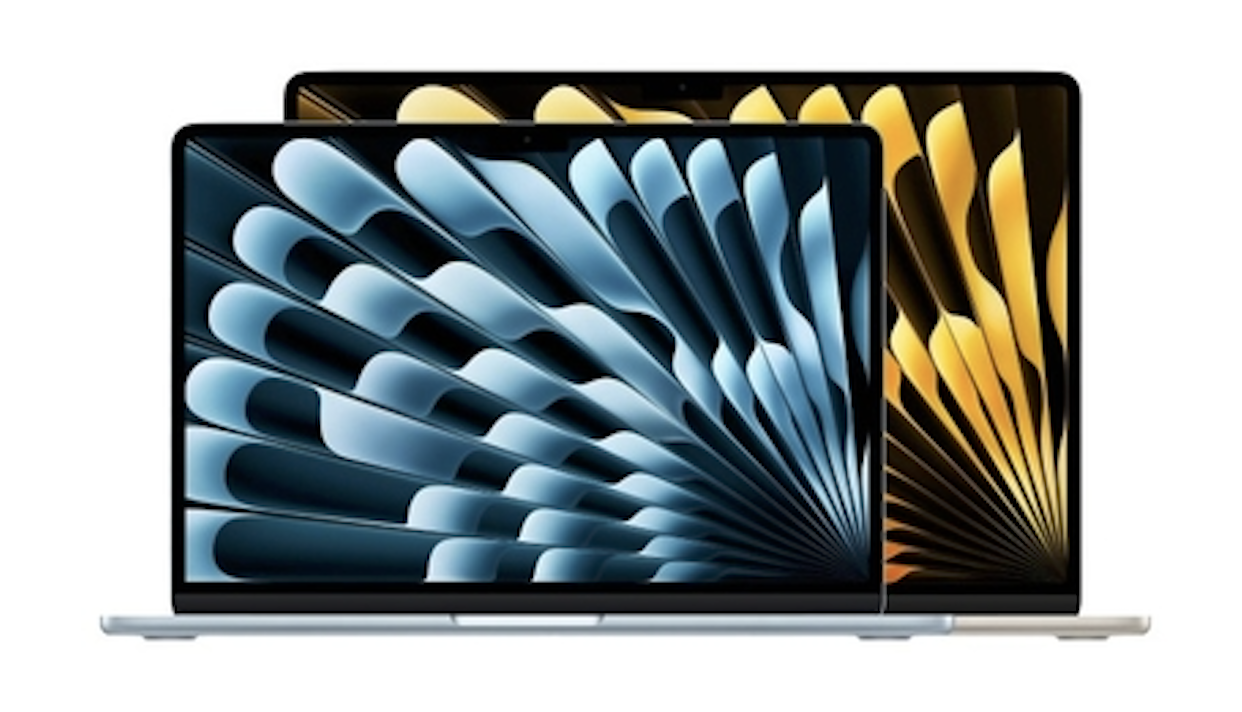
Apple just refreshed its entire laptop lineup, and the decision between the MacBook Air and MacBook Pro has never been more nuanced. Both machines now run the same M5 chip, share the same Apple Intelligence features, and ship with macOS Tahoe. So what exactly are you paying extra for when you step up to the Pro?
If you have already decided the $599 MacBook Neo is too basic for your needs, this guide walks you through the real world differences that matter between Apple’s two remaining popular laptops. Whether you are a college student, a creative professional, or someone planning to keep your next Mac for five plus years, the right answer depends on how you actually use your computer day to day.
How Apple’s Laptop Lineup Has Changed
Apple introduced the MacBook Neo as a completely new laptop designed to bring the Mac experience at a more affordable price. It is positioned as an entry level MacBook, sitting below both the MacBook Air and MacBook Pro.
This reshuffles the hierarchy in an important way. The MacBook Air is no longer the default starting point for most Mac buyers. Instead, it now sits comfortably in the middle of a three tier system:
- MacBook Neo ($599): basic everyday computing for students and casual users
- MacBook Air ($1,099 to $1,299): a capable all rounder with strong performance and portability
- MacBook Pro ($1,599 and up): sustained power, a premium display, and professional grade connectivity
If you have ruled out the Neo and are trying to decide between the Air and the Pro, the differences below are what matter most.
The M5 Chip: Same Silicon, Different Results
Both the MacBook Air and the entry level 14 inch MacBook Pro use the same Apple M5 chip. In reviews, the M5’s single core and multi core results were 14 and 22 percent faster than the M4, respectively. Apple describes the M5 as offering a “big leap” in AI performance, with the MacBook Air delivering up to 4x faster performance for AI tasks than the M4 model. On paper, that means identical horsepower. In practice, how long each laptop can sustain that performance is where the story diverges.
The MacBook Air relies on passive cooling. It has no fan, which keeps it completely silent. For browsing, writing, streaming, photo editing, and even moderate coding sessions, it handles everything without breaking a sweat. But push it with extended video exports, 3D rendering, or compiling large projects, and the M5 does thermally throttle in the fanless chassis on stress tests, the chip’s scores steadily decreased over multiple runs before settling significantly lower.
The MacBook Pro uses active cooling with an internal fan. That fan allows the M5 to run at full speed for much longer periods.
In an Xcode benchmark, the MacBook Air took 165 seconds to compile a large codebase, while the MacBook Pro did it in 145 seconds. That 20 second gap might seem small in isolation, but it compounds across a full workday of demanding tasks.
For someone editing a quick YouTube video once a week, the Air handles it fine. For someone rendering client projects back to back or running local AI models, the Pro’s sustained headroom is worth every penny.
Display Quality: Good vs Genuinely Great
The MacBook Air features a Liquid Retina LCD display. It looks sharp, covers the P3 wide color gamut, and reaches up to 500 nits of brightness. For most people, it is a perfectly good screen.
The MacBook Pro takes a significant leap forward with its Liquid Retina XDR display powered by mini LED backlighting. It reaches up to 1,000 nits of sustained brightness and 1,600 nits of peak HDR brightness. It also supports ProMotion with adaptive refresh rates up to 120Hz, making scrolling, animations, and video playback feel noticeably smoother.
Unlike the M5 MacBook Pro, the M5 MacBook Air does not offer a nano texture display option to further reduce glare and reflections in bright lighting conditions. If you regularly work outdoors, edit photos or video where color accuracy and contrast are critical, or simply appreciate fluid motion on screen, the Pro’s display is a meaningful upgrade that you notice every time you open the lid.
Ports and Connectivity
Here is where the Pro quietly pulls ahead in versatility:
- MacBook Air: two Thunderbolt 4 (USB-C) ports, MagSafe, headphone jack
- MacBook Pro: three Thunderbolt 4 (USB-C) ports, HDMI 2.1, SDXC card slot, MagSafe, headphone jack
The MacBook Pro features three Thunderbolt 4 ports and a MagSafe 3 charging port, SDXC card slot, HDMI port, and headphone jack.That extra Thunderbolt port and the inclusion of HDMI and an SD card slot eliminate the need for dongles in many real world scenarios. Photographers can import directly from a camera card. Presenters can plug into a conference room projector without adapters. It may sound minor, but these small conveniences add up significantly over time.
Sound and Microphone Quality
The 13 inch MacBook Air has a four speaker system, while the 15 inch Air upgrades to six speakers with force canceling woofers. The MacBook Pro offers a high fidelity six speaker system across the board, and it consistently delivers richer bass and clearer audio separation.
On the microphone side, the Pro features studio quality mics with a higher signal to noise ratio. If you regularly take video calls, record podcasts, or do voiceover work, the Pro’s microphones pick up your voice more cleanly and reject more background noise than the Air’s standard three mic array.
Battery Life: A Clear Winner
The MacBook Air offers up to 18 hours of battery life. That is excellent and will comfortably last a full working day for most users. The MacBook Pro offers up to 24 hours of battery life. This comes from its larger 72.4 watt hour battery, compared to the 53.8 watt hour cell in the 13 inch Air and the 66.5 watt hour cell in the 15-inch Air.
If you frequently travel, work from coffee shops, or simply prefer not to carry a charger, the Pro’s extra six hours of battery life provide real peace of mind.
Design, Weight, and Portability
Portability is one area where the MacBook Air clearly shines. The 13 inch Air weighs just 2.7 pounds and measures only 0.44 inches thick. Even the larger 15 inch Air comes in at 3.3 pounds. The MacBook Pro is noticeably thicker at 0.61 inches and heavier at 3.4 pounds.
If your laptop lives in a backpack and you move between classes, meetings, or flights, the Air’s lighter frame and thinner profile make a tangible difference. The Pro is not heavy by any standard, but the Air feels like carrying almost nothing.
The Air also comes in four color options silver, sky blue, starlight, and midnight while the Pro is limited to silver and space black. The new MacBook Air with M5 is available in 13 and 15 inch models in sky blue, midnight, starlight, and silver.
The $300 Question
The most interesting decision point comes when comparing the 15 inch MacBook Air at $1,299 with the 14 inch MacBook Pro at $1,599. For an additional $300, the Pro delivers:
- A vastly superior mini LED display with ProMotion
- Active cooling for sustained performance under heavy workloads
- Six additional hours of battery life
- An extra Thunderbolt port, HDMI, and SD card slot
- Better speakers and studio quality microphones
Once you are already spending over $1,000, that $300 gap buys a disproportionately large upgrade in capability and long term usability. For users who plan to keep their laptop for four or five years, the Pro’s broader feature set ages more gracefully.
Who Should Buy the MacBook Air?
The MacBook Air remains an outstanding laptop. It is ideal if you:
- Prioritize a thin, lightweight design above all else
- Use your laptop primarily for everyday tasks, web browsing, email, and media
- Want a silent fanless experience with zero noise
- Prefer more color choices to match your personal style
- Want strong performance without stepping into the Pro price tier
Combined with macOS Tahoe and Apple Intelligence, MacBook Air delivers unmatched value for college students and creative professionals, and it is the most popular laptop for business users.
Who Should Buy the MacBook Pro?
The MacBook Pro earns its premium if you:
- Regularly work on tasks that push the chip for extended periods, like video editing, coding, or 3D work
- Need a display with higher brightness, HDR support, and smoother motion
- Want the convenience of HDMI, SD card, and an extra Thunderbolt port built in
- Value maximum battery life for long days away from a power outlet
- Plan to keep this machine as a long term investment for several years
With M5, MacBook Pro features a faster CPU with the world’s fastest CPU core, a next generation GPU with a Neural Accelerator in each core, and higher unified memory bandwidth, enabling new AI enabled workflows right on MacBook Pro. Even in its base configuration, the Pro is built to handle whatever the next few years of software demands throw at it.
Final Verdict: Choose Based on How You Work, Not Just What You Spend
Both the M5 MacBook Air and the M5 MacBook Pro are excellent machines. The difference is not about whether one is “better” in absolute terms. It is about matching the right tool to how you actually use your computer.
If your daily routine is email, documents, light creative work, and streaming, the MacBook Air gives you everything you need in a beautifully light package at a lower price. You will not feel like you are missing out.
If your work involves sustained performance demands, professional media production, or you simply want the best display, audio, and battery life Apple puts in a laptop, the MacBook Pro justifies the extra investment. It is the kind of machine that feels just as capable on year four as it does on day one.
The smartest approach is honest self assessment. Think about the most demanding thing you do on your laptop each week. If the Air handles it comfortably, save the money. If there is any doubt, the Pro’s additional headroom will pay for itself over the life of the machine.