
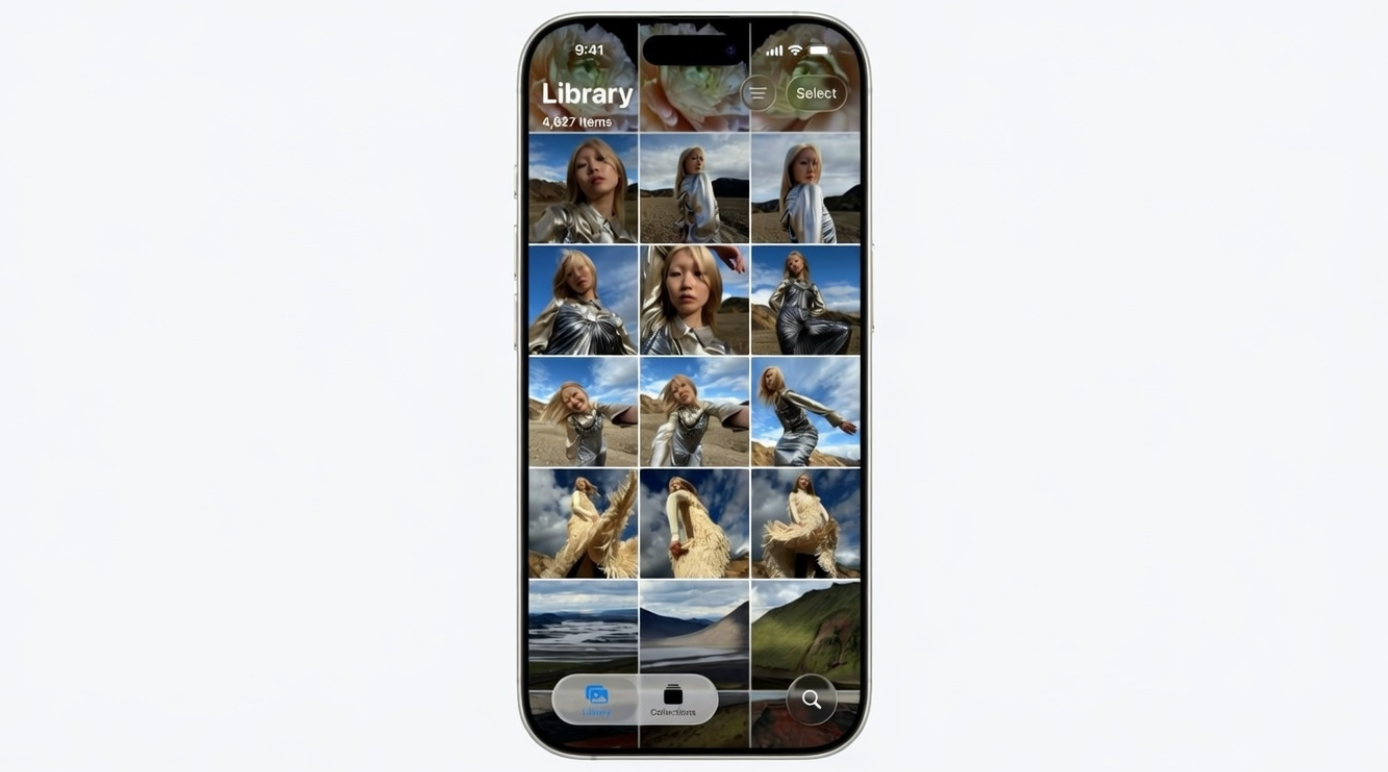
Live Photos add motion, sound, and emotion to everyday moments. However, many users never explore their full potential. Fortunately, iPhone lets you merge several Live Photos into one smooth video. As a result, you can share memories in a more engaging way. This guide explains the process clearly and efficiently.
What Are Live Photos on iPhone
Live Photos capture more than a single frame. They record moments before and after each shot. Therefore, each image feels dynamic and expressive. Apple designed this feature to preserve real-life motion. Consequently, memories feel more authentic and immersive.
Live Photos work seamlessly on iPhone and iPad. They also integrate perfectly with the Photos app. Because of this, creating videos feels simple and intuitive.
Why Convert Live Photos into a Video
Sometimes, one Live Photo is not enough. Instead, several moments tell a better story together. By combining them, you create a flowing visual narrative. Moreover, videos are easier to share across platforms.
Social media apps prefer video content. Additionally, videos grab attention faster than images. Therefore, merging Live Photos boosts engagement instantly. This method also saves time compared to manual editing.
Best Situations to Combine Live Photos
Special events benefit greatly from this feature. For example, birthdays feel more alive in video form. Similarly, travel moments become cinematic and memorable. Daily life clips also gain charm when merged together.
Family gatherings work especially well. Likewise, casual moments feel warmer and more personal. As a result, your gallery becomes more meaningful.
How to Turn Live Photos into a Single Video
The process works directly inside the Photos app. No third-party apps are required. Therefore, your data stays safe and private.
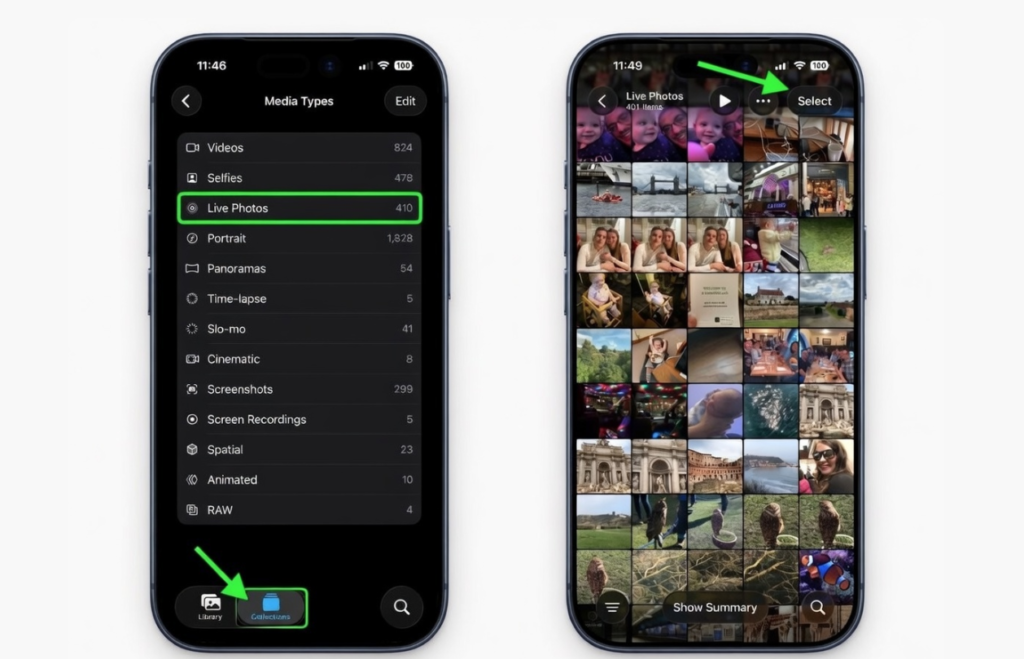
First, open the Photos app on your iPhone. Next, look at the bottom navigation bar. Then, tap the Collections icon to continue.
After that, scroll down carefully. Locate the Media Types section. Now, tap Live Photos to view all available shots.
Once the list appears, tap Select in the top corner. Then, choose the Live Photos you want. Each selected image shows a small checkmark.
After selecting your images, look again at the top. Tap the three-dot menu icon. A pop-up menu appears instantly.
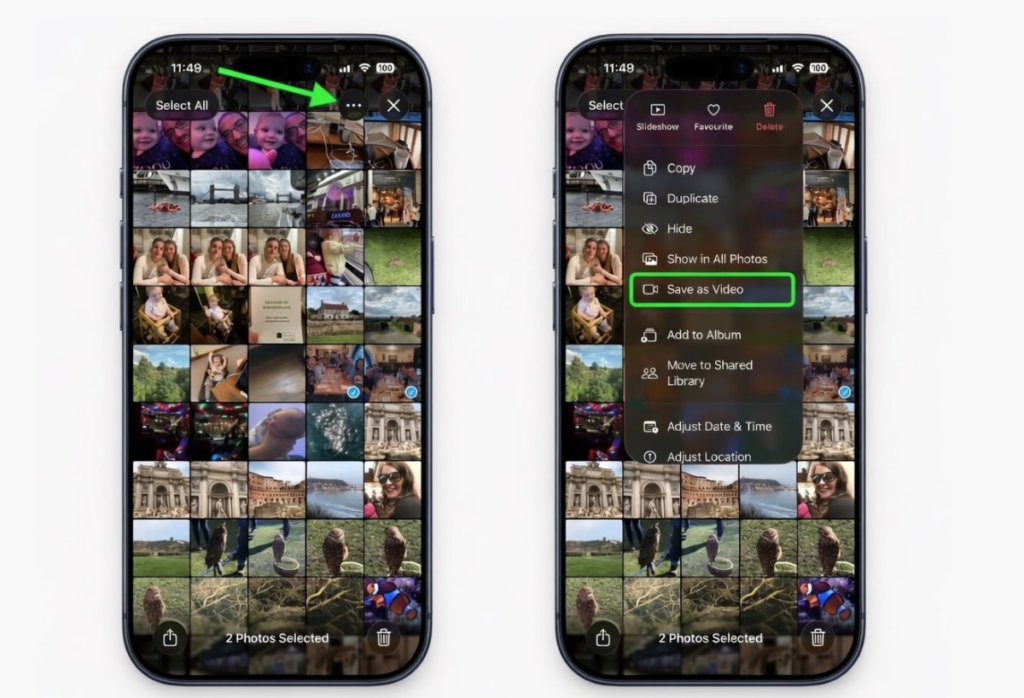
From the menu, tap Save as Video. The Photos app processes your selection automatically. Within seconds, your video is ready.
Where to Find Your New Video
The video saves directly to your library. However, it keeps the original capture date. Therefore, it may not appear at the top.
To find it faster, open Library view. Alternatively, scroll to Media Types again. Then, tap Videos to locate it easily.
You can also sort by recently added. That option helps if your library is large. Thus, finding content becomes stress-free.
Important Tips for Better Results
Select Live Photos in the correct order. The video follows the selection sequence. Therefore, choose carefully for smoother storytelling.
Avoid mixing unrelated moments together. Consistency improves visual flow significantly. Also, limit the number for better pacing.
Good lighting improves video quality. Clear motion also enhances the final output. Hence, choose sharp and vibrant Live Photos.
Benefits of Using the Built-In Method
Apple’s method requires no editing skills. It also avoids unnecessary app downloads. Moreover, it preserves original quality perfectly.
The process remains fast and reliable. It works offline without internet access. As a result, anyone can use it confidently.
Storage usage also stays optimized. The system manages files efficiently. Therefore, performance remains smooth.
Sharing Your Live Photo Video
Once created, sharing becomes effortless. You can send it via Messages instantly. Social media platforms also support the format.
AirDrop works perfectly for nearby sharing. Cloud backups include the video automatically. Thus, your memories stay protected.
Final Thoughts on Live Photo Videos
Turning Live Photos into videos unlocks creativity. It transforms scattered moments into a unified story.
Most importantly, it takes only a few taps.
Apple designed this feature for simplicity. Therefore, every user can enjoy it. Try it today and relive your moments beautifully.